Screenshot It Trial3.41
Publisher Description
Works on ALL rooted phones!
May work on some unrooted phones (i.e. the Motorola Atrix, Droid X2, Droid Bionic, Galaxy, and Tegra devices). If you are not rooted, this free version is for you to see if it works on your phone before buying the full version. If this version does not work, please download "No Root Screenshot It", which will work on your phone (also available on the Android market).
Please do not rate poorly if you do not have a rooted device!
5 screenshots in trial
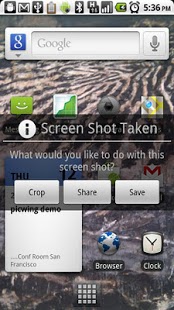
Take a screenshot of your phone's screen, save as a jpg or png file, and share anywhere!
- Crop screenshots
- Draw and annotate screenshots
- Screen shot status bar button
- Screenshot widget button
- Shake to screen shot
- Delayed screenshot timer
- "Share" menu integration
- Overlay phone information on screenshots
- Specify your own custom directory to save your screenshots!
To remove superuser permission toast message from your screenshots, goto your "superuser permissions" app and disable toast messages.
Tags: Screenshot screen shot capture
About Screenshot It Trial
The company that develops Screenshot It Trial is Edward Kim. The latest version released by its developer is 3.41. This app was rated by 13 users of our site and has an average rating of 4.2.
To install Screenshot It Trial on your Android device, just click the green Continue To App button above to start the installation process. The app is listed on our website since 2012-12-24 and was downloaded 643 times. We have already checked if the download link is safe, however for your own protection we recommend that you scan the downloaded app with your antivirus. Your antivirus may detect the Screenshot It Trial as malware as malware if the download link to com.edwardkim.android.screenshotitfree is broken.
How to install Screenshot It Trial on your Android device:
- Click on the Continue To App button on our website. This will redirect you to Google Play.
- Once the Screenshot It Trial is shown in the Google Play listing of your Android device, you can start its download and installation. Tap on the Install button located below the search bar and to the right of the app icon.
- A pop-up window with the permissions required by Screenshot It Trial will be shown. Click on Accept to continue the process.
- Screenshot It Trial will be downloaded onto your device, displaying a progress. Once the download completes, the installation will start and you'll get a notification after the installation is finished.
Program Details
System requirements
Download information
Pricing
Version History
version 3.41
posted on 2012-12-24
- Fixed bugs in last release. sorry!
version 1.99
posted on 2011-04-27
Several fixes and updates
